Case study
GA4 & GTM Lead Tracking
Implementation
Implementing GA4 and Google Tag Manager for a local plumbing business to measure website behavior and key lead-generation actions, including contact-form submissions and phone-number clicks.
01 — Overview
The challenge
The plumbing business relied on phone calls and contact-form submissions to generate leads, but lacked clear visibility into how visitors interacted with its website and which actions actually resulted in potential customers.
The goal
Build a measurement system that could answer one question: how are users generating leads, and which marketing channels are driving those leads?
02 — Measurement strategy
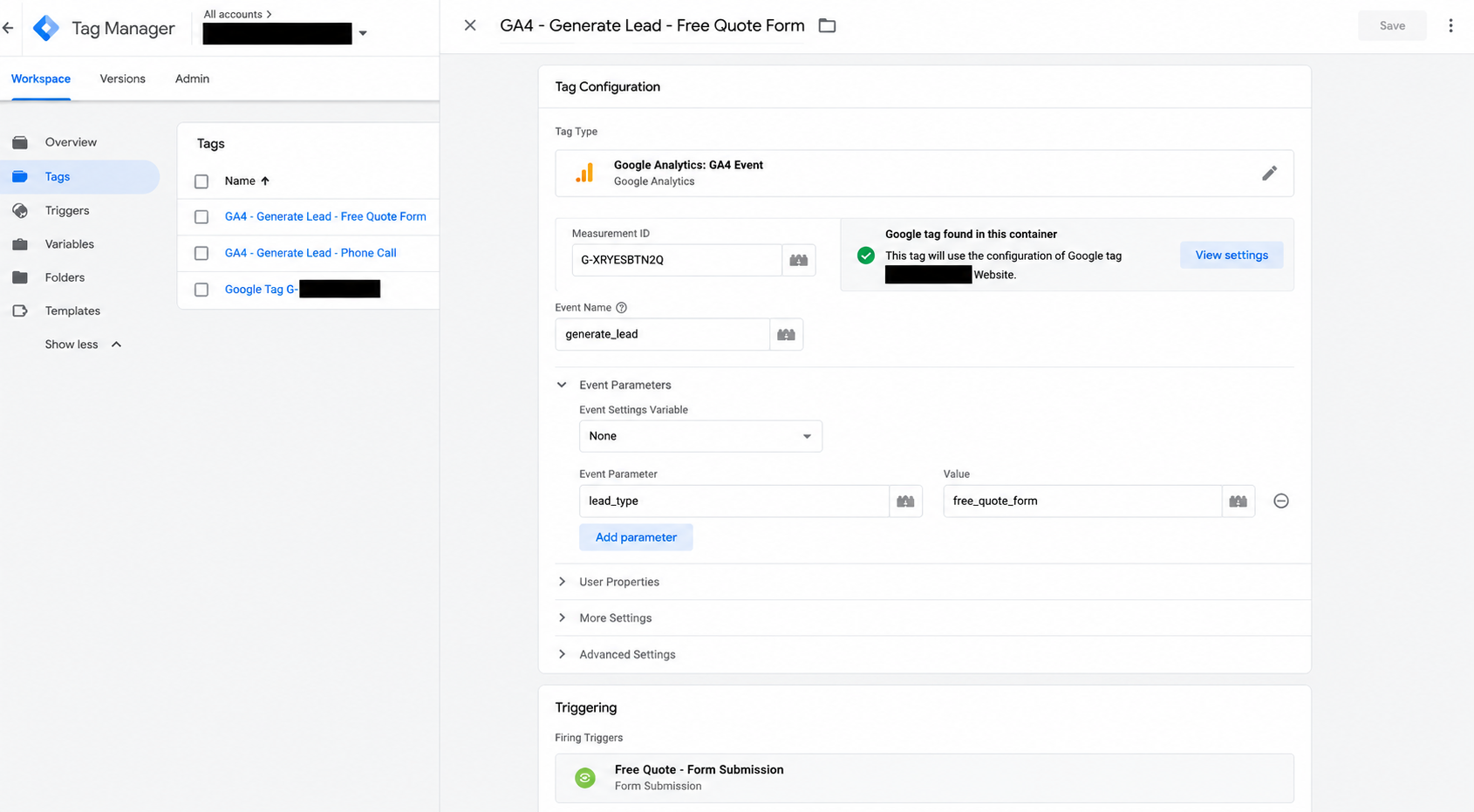
Both conversion actions were sent through GA4's generate_lead event, with a
lead_type parameter used to distinguish how each lead was generated. This avoided
needing a separate event for every lead method.
| Interaction | GA4 event | Parameter | Value |
|---|---|---|---|
| Free quote submitted | generate_lead | lead_type | free_quote_form |
| Phone number clicked | generate_lead | lead_type | phone_call |
03 — Implementation
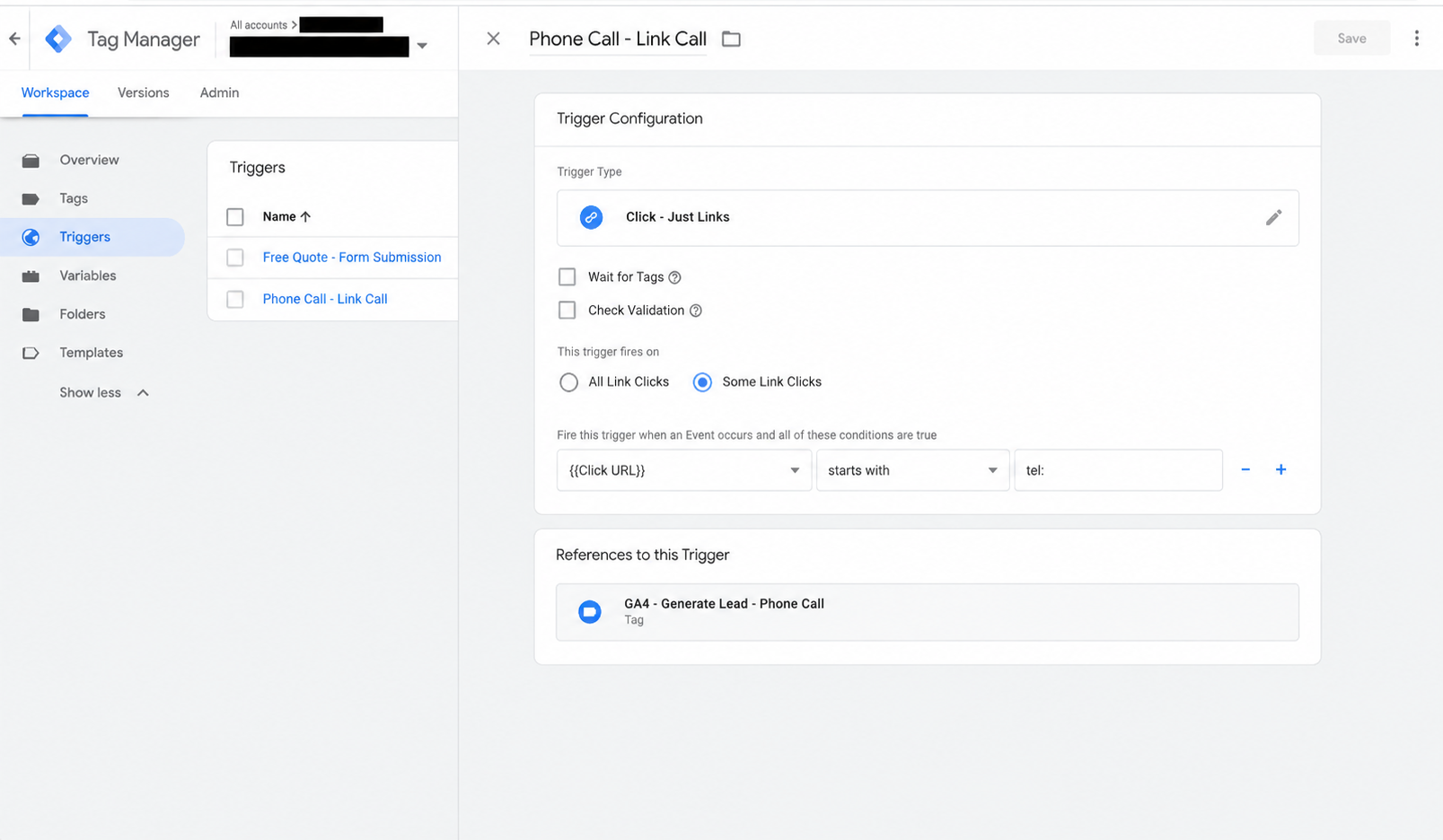
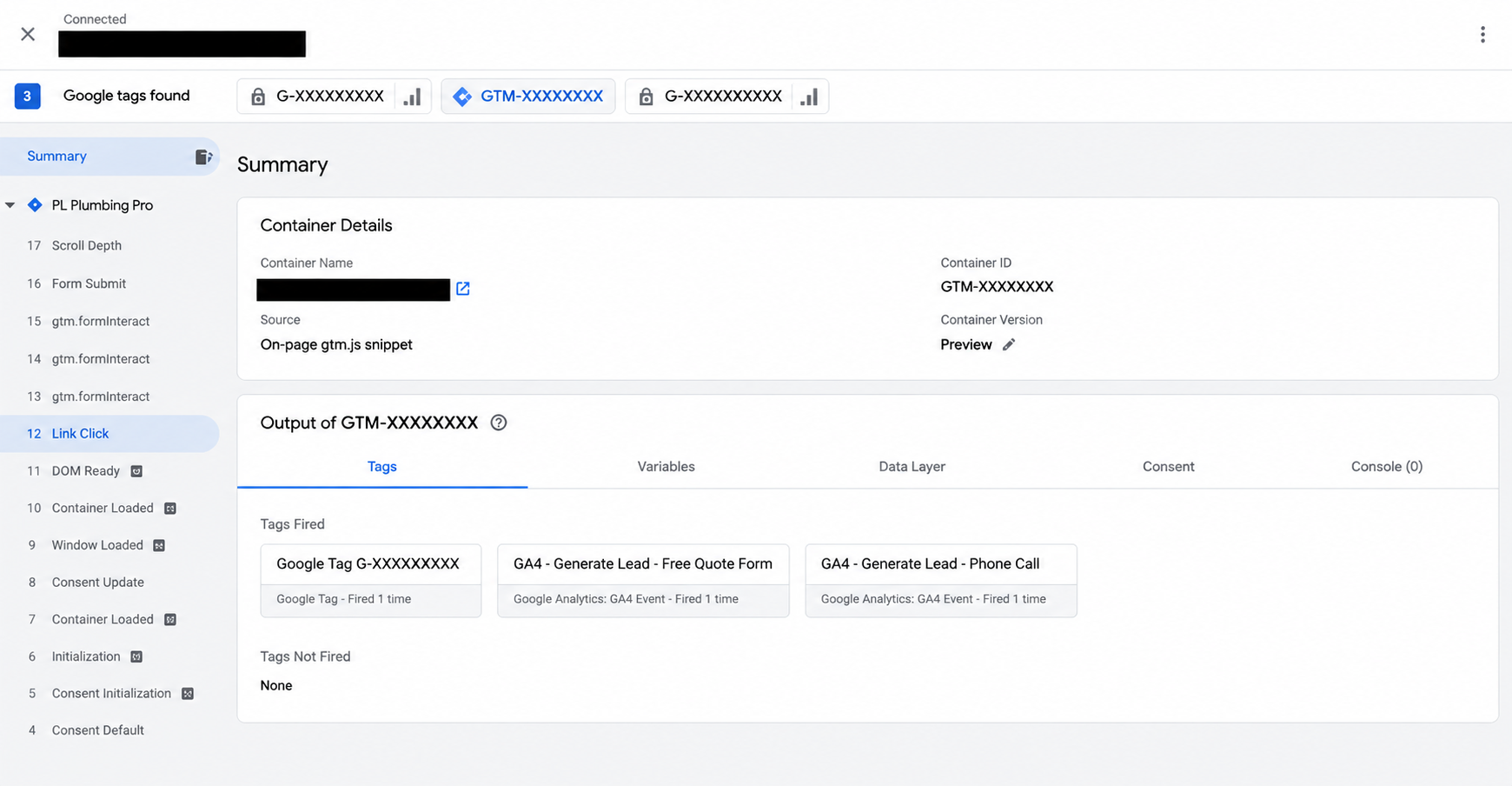
Configured separate GTM triggers for successful form submissions and phone-link clicks. The
phone trigger fires on any Click URL starting with tel:, a generic
match rather than one hardcoded number, so it works regardless of which phone number appears
on the page. Both triggers feed into a consistent GA4 lead measurement structure.
04 — Validation
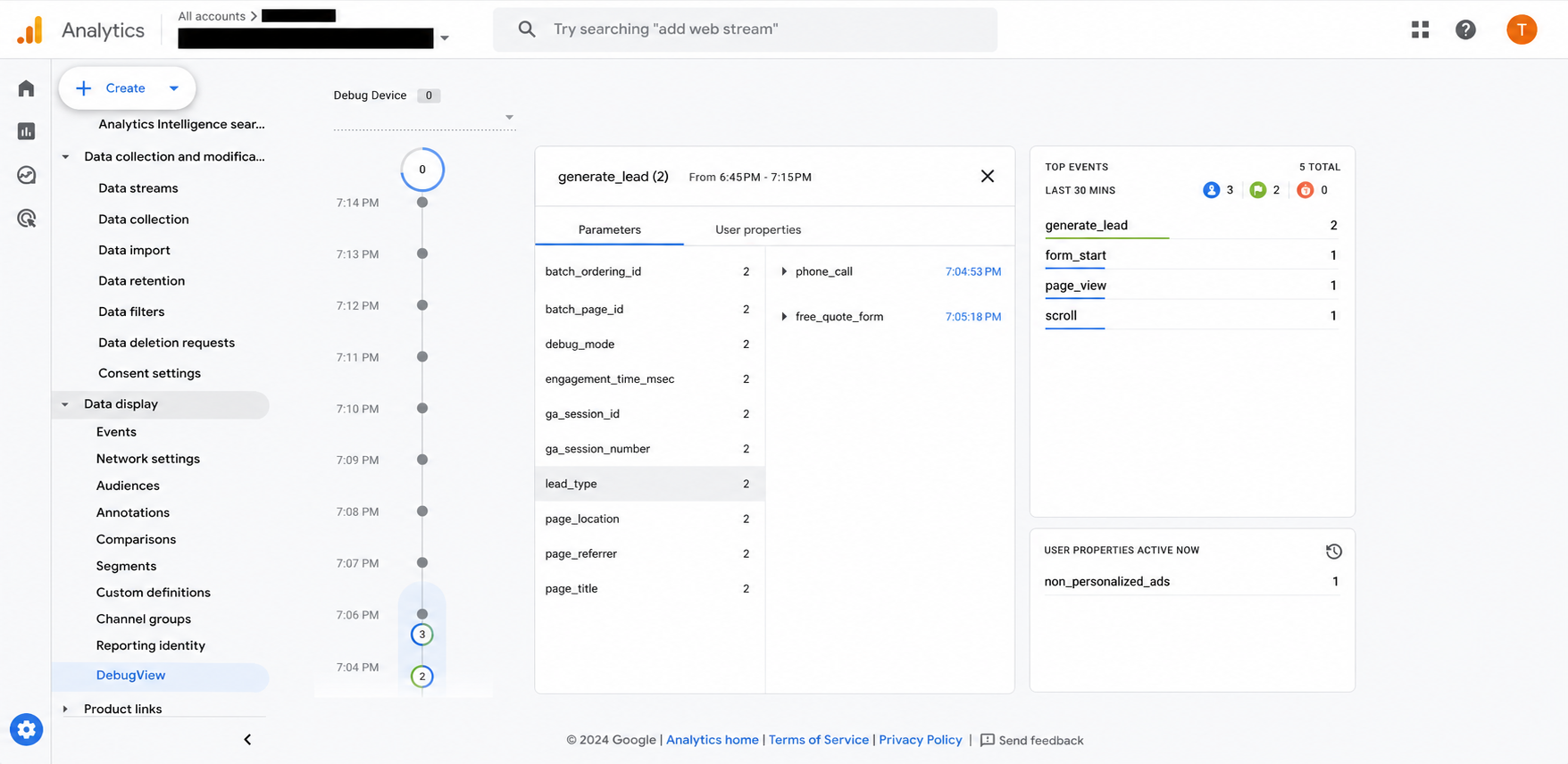
GA4 DebugView confirmed the lead_type parameter successfully traveled from the
website through GTM into GA4 for both lead methods. The parameter was then registered as an
event-scoped custom dimension, and generate_lead was marked as a key event,
connecting the technical setup to actual marketing reporting.
05 — Outcome
This project created an end-to-end lead measurement framework that captures the site's primary conversion actions and enables future analysis of lead generation by traffic source and lead type.
Related: Google Ads Search campaign for the same business →